The Complete Guide to Cabinet Hardware Installation Templates for Consistent Results
A cabinet hardware template is a jig that positions the screw holes for knobs and pulls in exactly the same spot on every door and drawer, so the kitchen looks aligned without measuring each piece. Choose an adjustable template that matches your pull’s center-to-center spacing, set it once for each door and drawer type, clamp or tape it in place, and drill straight through from the front with a backer block behind to prevent blowout.
Key takeaways
- Measure the pull’s center-to-center (CC) spacing before setting any template.
- Set the template once per part type: base doors, wall doors, drawers and tall doors.
- Drill from the front with a backer block to avoid splintering the back of the door.
- Test on a scrap or a hidden spot first, then drill the rest in batches.
- Check screw length on drawer fronts, which are thicker than doors.
1. Why Hardware Placement Matters
Hardware is the first thing people touch and one of the first things they notice. A pull that is a little off on one drawer stands out across a whole run. Templates turn placement into a repeatable setting instead of dozens of separate measurements, which saves time and avoids filling misdrilled holes in finished doors.
2. Types of Cabinet Hardware Templates
| Type | How it works | Best for |
|---|---|---|
| Adjustable jig | Sliding stops and guides set the CC spacing and offsets | Whole kitchens; repeat jobs |
| Fixed plastic template | Pre-drilled holes for common spacings | Quick knob and pull layouts |
| Paper template | Printed pattern taped to the door | One-off jobs |
| Shop-made jig | Plywood block with fences and drilled guide holes | Custom spacing; crews on a budget |
Common Placement Conventions
There is no single rule, but these conventions are widely used:
- Base cabinet doors: knob or vertical pull near the top corner opposite the hinges.
- Wall cabinet doors: knob or vertical pull near the bottom corner opposite the hinges.
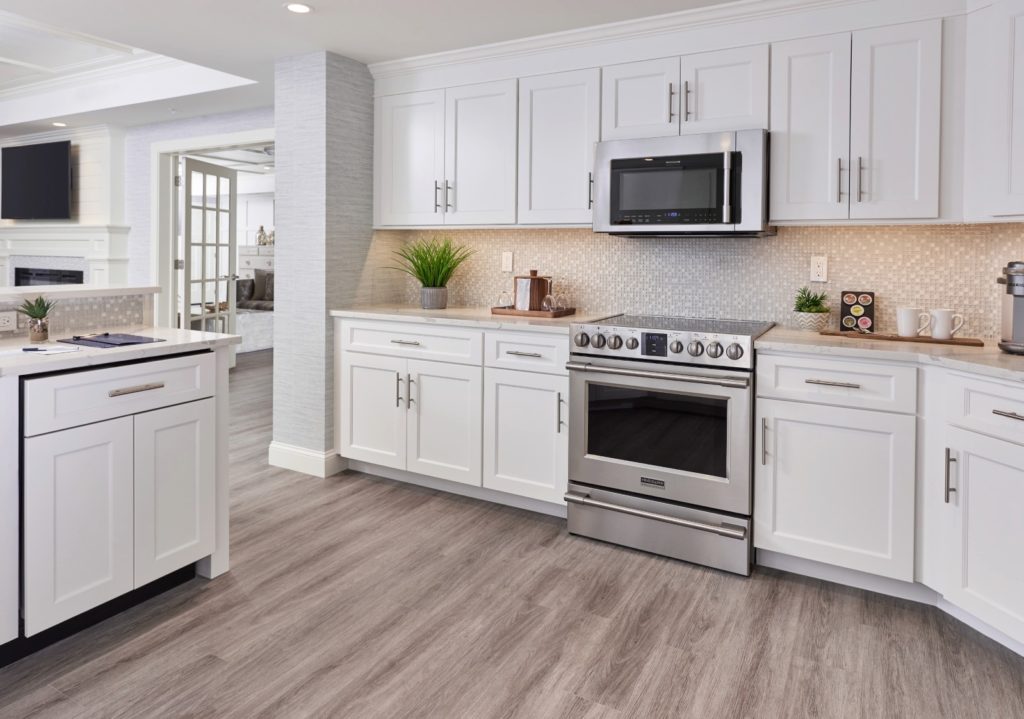
- Shaker doors: center the hardware on the stile, often aligned with the inner edge of the rail.
- Drawers: pulls centered side to side, either centered on the drawer front or centered on the top rail of a five-piece front.
- Wide drawers: use a longer pull or two pulls so the drawer opens evenly.
- Tall pantry doors: longer pulls placed at a comfortable reach height.
Whatever you choose, keep it identical across every cabinet of the same type.
3. How to Make Your Own Installation Template
- Materials: a scrap of 1/2″ or 3/4″ plywood or hardwood, a square, a fence strip, and a drill press or drilling guide if available.
- Measure the hardware: the pull’s CC spacing between screw holes.
- Lay out the holes on the block, measured from the fence that will register against the door edge.
- Drill guide holes straight through the block.
- Add fences on two edges so the block hooks over the door corner or drawer edge.
- Test on scrap and adjust before using it on finished doors.
4. Step-by-Step Guide to Using Installation Templates
- Install and adjust doors and drawers first, so reveals are even before hardware goes on.
- Set the template for the CC spacing and the offset from the door edge.
- Mark the setting on the template with tape so it can be reset later.
- Clamp or tape the template in place; check it against the door edge, not the cabinet.
- Use a backer block behind the door or drawer front.
- Drill straight from the front with the bit size the hardware maker recommends.
- Check screw length: drawer fronts mounted on a box need longer screws than doors.
- Install the hardware and snug screws by hand to avoid cracking finishes.
- Work by type: all base doors, then all wall doors, then all drawers.
5. Common Mistakes to Avoid
- Measuring CC spacing wrong; check it on the actual pull, not the package.
- Registering the template against the cabinet face frame instead of the door edge.
- Drilling without a backer block, which splinters the inside face.
- Drilling before doors and drawers are adjusted.
- Using screws that are too long or too short for drawer fronts.
- Mixing placements between similar cabinets.
6. Expert Tips for Perfect Results
- A laser level helps check that pulls line up across a long run of drawers.
- Drill one cabinet of each type, step back, and confirm the look before drilling the rest.
- Keep the template and settings with the job file for punch-list or replacement doors.
- Choose hardware that suits the door: slim bar pulls on modern shakers such as Espresso Shaker cabinets, cup pulls and knobs on traditional doors.
For hardware care after installation, see how to clean cabinet hardware.
How CCC Cabinets Fits
CCC Cabinets supplies cabinets in 15 door styles with full-overlay doors and drawer fronts on 3/4″ birch face frames; hardware is chosen and installed by the contractor. Doors use 6-way adjustable soft-close hinges, so reveals can be set before drilling. See door styles at the Des Plaines showroom, browse kitchen cabinets near you, read why wholesale cabinets make sense, or open a trade account.
7. Frequently Asked Questions
What is a cabinet hardware template?
It is a jig with guide holes and fences that positions knob and pull screw holes in the same place on every door and drawer. Adjustable templates can be set for different pull spacings and offsets, so one tool covers a whole kitchen.
Where should hardware go on kitchen cabinets?
A common convention is knobs or vertical pulls near the top corner of base doors and the bottom corner of wall doors, opposite the hinges, and pulls centered on drawers. On shaker doors, center hardware on the frame. Keep placement identical for every cabinet of the same type.
How do I avoid splintering when drilling cabinet doors?
Clamp a scrap backer block tightly behind the door or drawer front, drill straight from the front with a sharp bit of the recommended size, and let the bit do the work without forcing it. Test on scrap first.
Should hardware go on before or after cabinet installation?
After. Install the cabinets, adjust doors and drawers so reveals are even, and then drill for hardware. Drilling first risks hardware that does not line up once doors are adjusted.
Conclusion
Templates make hardware placement fast, repeatable and accurate. Measure the pull spacing, set the template once per cabinet type, use a backer block, and install after the doors are adjusted.
For cabinets ready for your hardware, visit CCC Cabinets at 2180 S Wolf Rd, Des Plaines, IL 60018, call (872) 241-5525, or contact us.
Sourcing cabinets for a Chicagoland project?
CCC Cabinets supplies 15 door styles — including Espresso Shaker cabinets — at wholesale prices from our Des Plaines, IL warehouse. Confirm availability for your door style, then choose warehouse pickup near O’Hare or scheduled delivery across Chicagoland.
Door styles to explore: Espresso Shaker · Shaker Blue · Mini White Shaker
Browse all cabinet styles · Open a dealer account · Call (872) 241-5525 · Talk to our team